SLAM: Simultaneous Localization and Mapping
Overview
While wandering around, HomeR stitches the laser scans according to its odometry to fabricate a map. Brian Douglas made a remarkable video under the topic of Pose Graph Optimization , which explained the mapping process quite well.
Requirements
HomeR creates a map with the help of two ROS packages: rplidar_ros , which allows ROS to work with the RPLIDAR A1 from SLAMTEC and slam_toolbox to simultaneous localization and mapping (SLAM) .
It would be nice to have a gamepad or a keyboard, so that the mapping can be achieved by “teleoperation”.
The keyboard teleop requires teleop_twist_keyboard package, while the gamepad teleop needs teleop_twist_joy package.
Run following command in terminal to install these dependencies.
$ sudo apt install ros-jazzy-rplidar-ros ros-jazzy-slam-toolbox ros-jazzy-teleop-twist-joy ros-jazzy-teleop-twist-keyboard
Bring Up HomeR Interface (on RPi)
$ ros2 launch homer_control bringup_homer.launch.py
This launch file includes following operations:
Start HomeR driver node.
Set up static transforms from
base_linktobase_footprintand frombase_linktolidar_link.Launch customized
rplidar_compositionnode.Launch teleop-launch.py from
teleop_twist_joypackage using custom gamepad configurations.
Gamepad is the default choice of teleoperation, feel free to start a teleop_twist_keyboard node to drive HomeR with a keyboard.
Teleop SLAM (on Host)
On host machine**, launch the gamepad controlled mapping in terminal.
$ ros2 launch homer_control joy_chart.launch.py
This launch file includes following operations:
Launch
online_async_launch.pywith custom mapping configurationsStart up
rviz2for visualizing map, frames, lidar scans, etc..
See an example below
Save the Map (on Host)
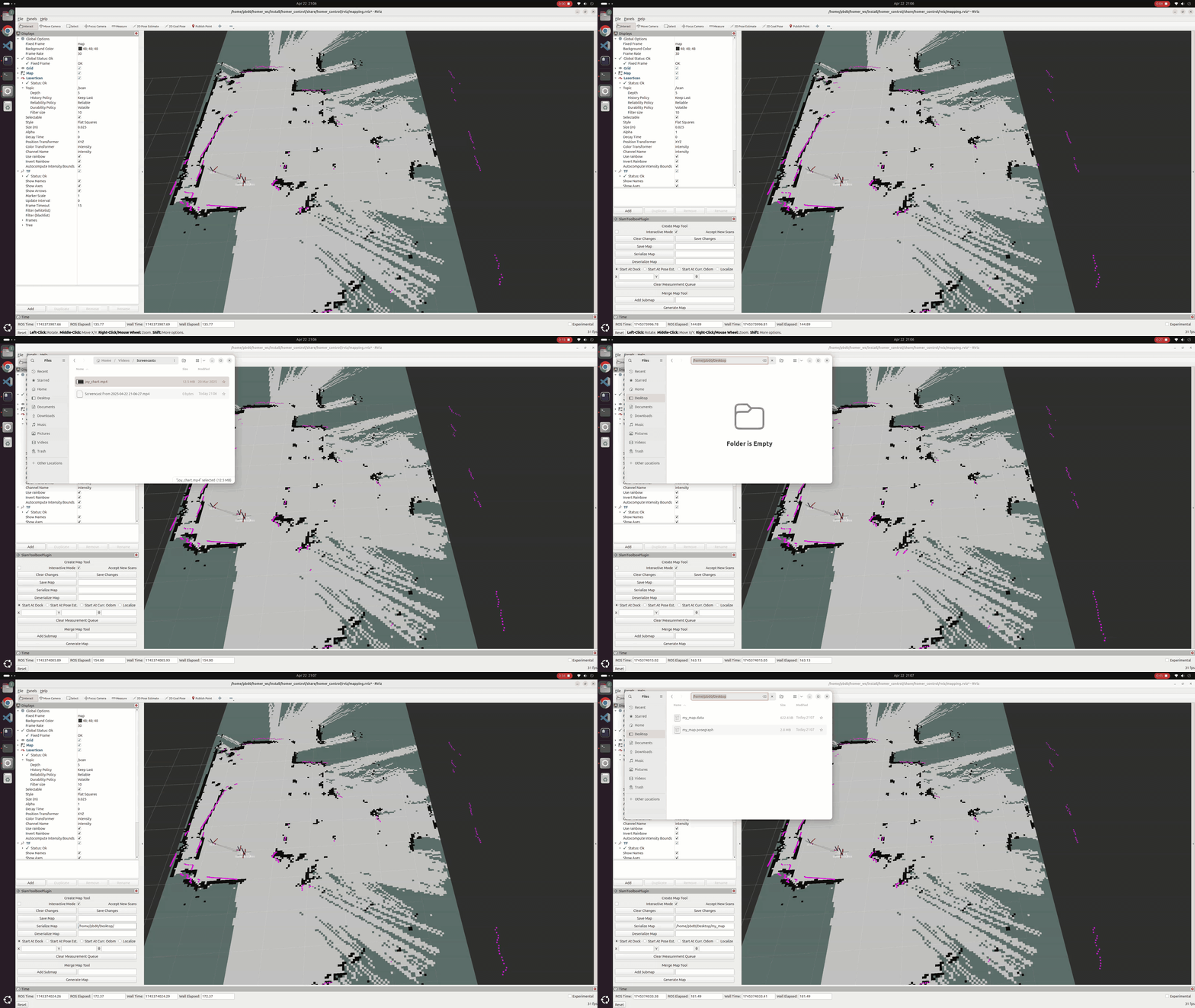
Add SlamToolboxPlugin panel in Rviz.
Find it by going through Panels -> Add New Panel -> SlamToolboxPlugin (under slam_toolbox).
Select it and click OK button.
Specify map path
In the text box next to the Serialize Map button, type desired path where you want to save the map, for instance: /home/username/Desktop/my_map
Refer to the example below: